Artist website examples: what the best artist sites get right
What makes a good artist website, shown with a real build: works you can filter, a page per painting, enquiries that work. A checklist for your own site.
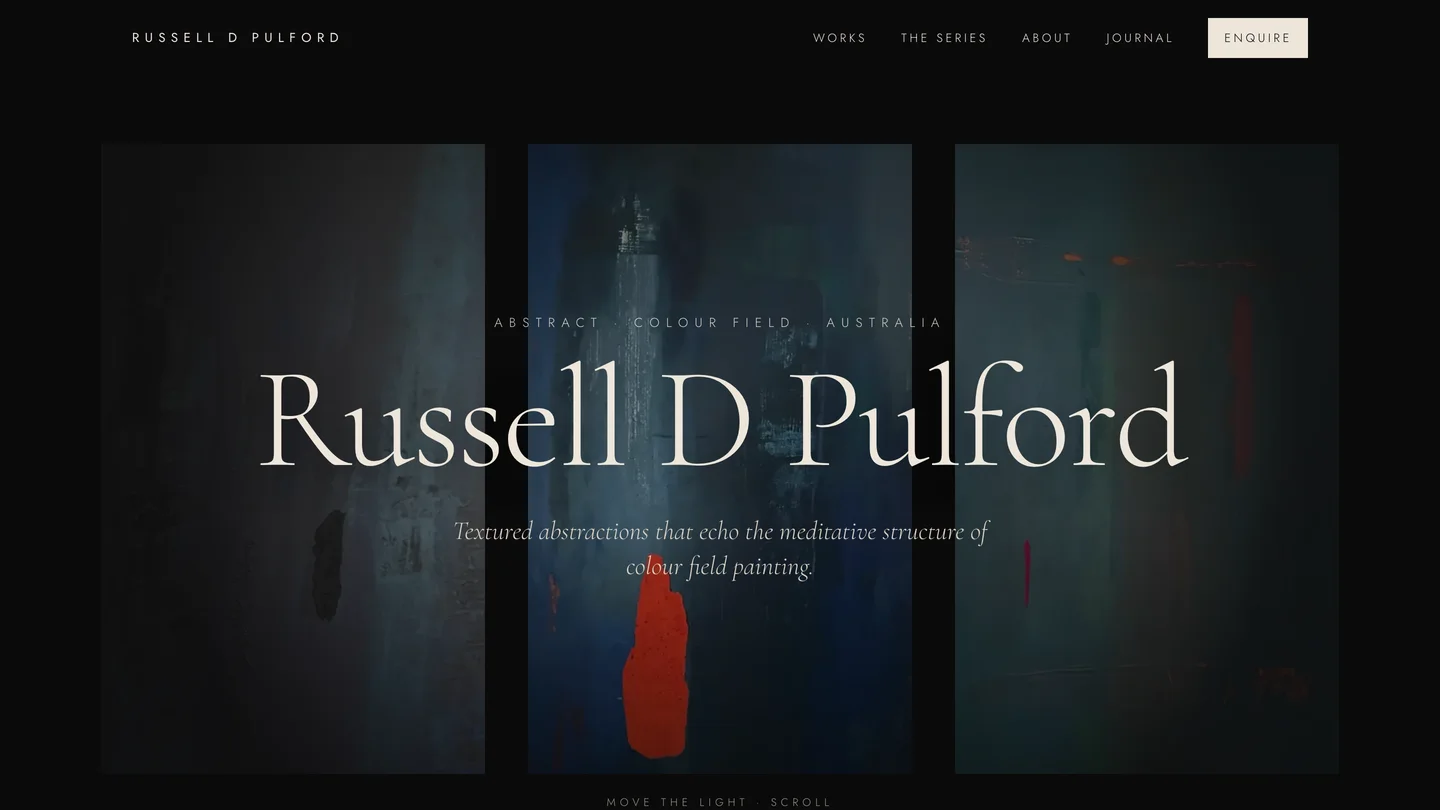
Most artist websites fail in the same few ways: one long gallery, tiny images, no way to ask about a work, and nothing Google can find. The good ones fix all four. Below is what a strong artist or portfolio website does, shown with a site we built for Australian abstract painter Russell D Pulford, plus a checklist you can use on your own site, whichever platform you build on.
Want a site built like this?
We design and build websites for artists, from $3k, in Webflow so you can add new work yourself.
1. The work fills the screen
A good artist site gets out of the way. Dark or plain backgrounds, generous space and big images.
Example: Russell's home page is dark, like a gallery after hours, with a torch effect that lights the paintings as you move the mouse.
2. Every work has its own page
One page per painting, with the title, size, medium, series and a way to enquire. This matters for collectors, who want detail, and for Google, which can show a single painting in search and image results.
Example: 36 works on russelldpulford.com, each on its own page (as the live works page shows, 22/11/2026).
3. Visitors can sort the work
Once you have more than a dozen works, a single scrolling gallery stops working. Let people filter by series, size or colour.
4. Help people picture it at home
Size is the question every buyer has. Showing a painting on a wall at its real scale answers it before they ask.
Example: Russell's "On a wall" switch shows every work at true scale beside a 170 cm figure.
5. Make it easy to ask
If you sell by enquiry, put an enquire button on every work and make sure the form actually reaches your inbox. If you sell online, keep checkout simple. Russell sells originals by enquiry, so his site shows no prices.
6. Let your voice in
Collectors buy the artist as well as the painting. An about page in your own words, a journal or interviews give people a reason to stay.
Example, from Russell's About page: "For me painting is a meditative experience, hopefully this is passed on to the viewer."
7. The SEO basics most artist sites miss
- Alt text that describes the work (Russell's old site had "image" as the alt on every picture)
- A page title per work, not the site name repeated
- Redirects when you move platforms, so old links and Google listings keep working
- Structured data so search engines know each page is an artwork
Checklist for your artist website
- Big images, quiet layout.
- A page for every work, with size and medium.
- Filter by series, size or colour.
- A way to see scale (a wall view or size guide).
- An enquire button on every work, tested.
- About page in your own words.
- Descriptive alt text and a title on every work page.
- Easy for you to add new work.
Build it yourself or have it built?
Builders like Squarespace and Wix are a fine start if you have a small body of work and time to set it up. Once you have dozens of works, sell to collectors overseas, or want people to find you on Google, a designed site usually earns its keep. We design and build artist websites from $3k: artist website design.
Common questions
What should I put on my artist website?
Your work first, a page for each piece with size and medium, an about page, and a clear way to enquire or buy.
What is the best website builder for artists?
It depends on how much work you have and how you sell. A simple builder suits a small portfolio. A custom-designed site suits a large body of work, enquiry-based sales or serious SEO.
Do I need prices on my artist website?
No. Many artists sell originals by enquiry. Others show prices. Pick what matches how you sell.
How many works should I show?
Show your best, current work. Filtering lets you show more without overwhelming people.
Want a site like this for your own work? See artist website design or read how we built Russell's site.
Related reading
Want more of my posts when you Google something? Tap the button below and pick Enkindle. Takes 5 seconds.
Get The Enkindle Insights every second week.
A short email for Perth and Australian business owners. Here's what's in each one:
- Our newest Insights post
- Three quick updates on what's changed on Google, Meta and AI search
- One practical tip you can try yourself